Download TikTok Safe Zone Overlay PNG
Get free transparent PNG layout templates and 9:16 thirds grid guides to check your designs offline.
TikTok Interface Overlay PNG
A transparent 1080x1920 PNG file simulating the TikTok user avatar, heart, comment, bookmark, and share icon locations.
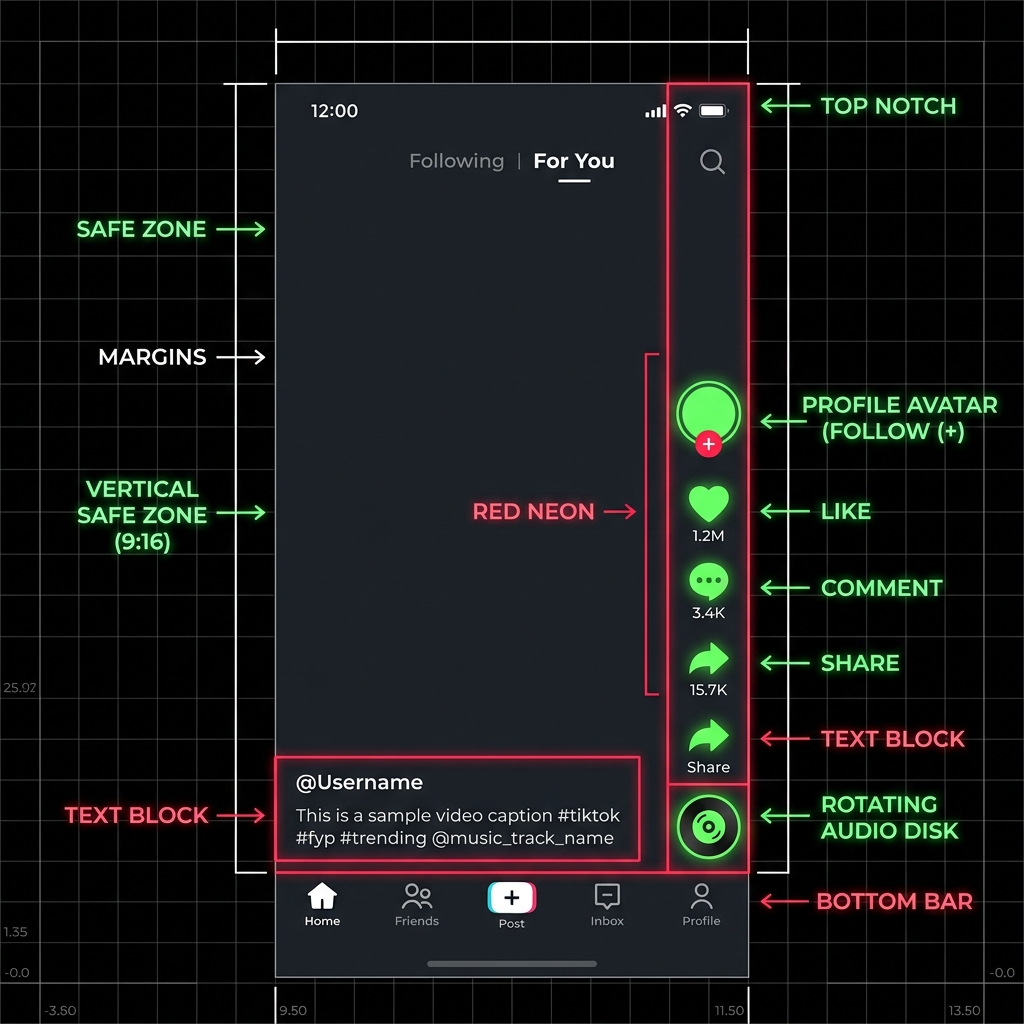
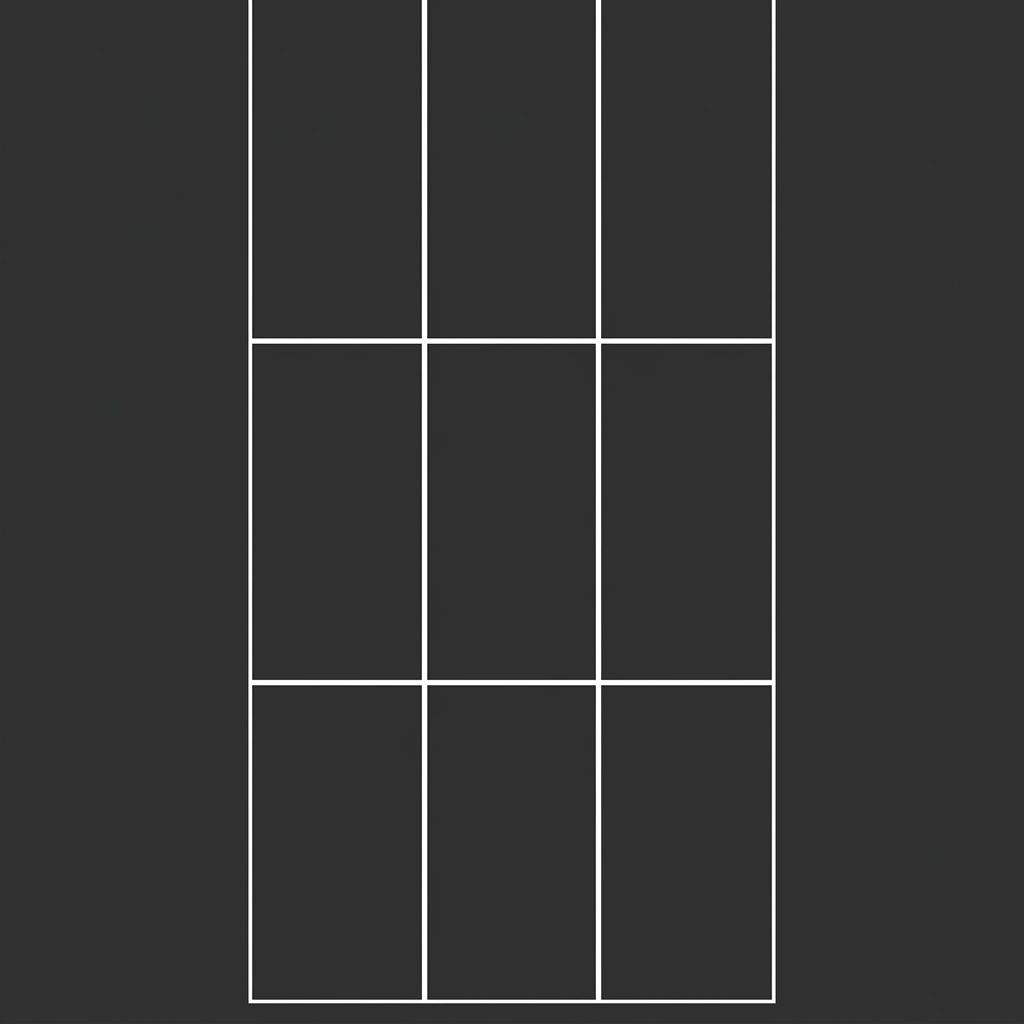
9:16 Thirds Grid Template
A reference grid splitting the 9:16 layout into a 3x3 layout to help you establish correct focal hierarchy in vertical formats.
Free TikTok Safe Zone Overlay PNG
We provide these transparent vertical overlays so you can verify placements directly inside your favorite editing software. Whether you are building organic posts or premium ads, keeping titles, user logos, and CTA prompts free from interface elements is critical for performance.
How to use the TikTok grid template across different editors
To build pixel-perfect vertical designs and ensure your key text or subject matter never gets cut off, follow these platform-specific import steps:
1. How to use in Canva
Create a custom design at 1080 x 1920 pixels. Upload our transparent tiktok_safe_zone_overlay.png asset, drag it to cover the entire page, and click "Lock" in the top menu to freeze the position. Layer your text, labels, and graphics underneath this layer.
2. How to use in CapCut (Mobile & Desktop)
Import your 9:16 vertical video into your project timeline. Click on "Overlay" or "Add Track" and drag the transparent safe zone PNG on top of your main track. Stretch the overlay to cover the full screen duration. Align your dynamic captions and subtitles inside the marked clean zone.
3. How to use in Adobe Premiere Pro
Create a vertical sequence (1080x1920). Drag the downloaded transparent overlay PNG to the top video track (e.g. V2 or V3). Lock the track to secure it. Keep your central subjects, callouts, and Essential Graphics captions aligned within the boundaries, hiding the V2 track before exporting.
4. How to use in Photoshop & Figma
Setup a frame or artboard measuring 1080x1920 pixels. Place the transparent TikTok safe zone PNG as a top-layer component. Set its blending mode to Normal, reduce opacity to 70% if needed, and lock the layer. Ensure logos, heads, and social handles sit clean within the grids.
What the overlay helps you check
By loading the transparent outline, you can instantly see:
- • If your video subtitles are covered by user names and captions at the bottom.
- • If your brand logo is overlapping the search icon at the top.
- • If your subject's face is blocked by the right-hand engagement column.
When to use the interactive TikTok Safe Zone Checker
While offline template files are great for stationary layout planning, they don't allow live visual check simulation. Want to preview your actual creative? Use the interactive [TikTok Safe Zone Checker](/tiktok-safe-zone-checker/). It lets you upload files and toggle specific interface zones on/off instantly.
Launch Interactive CheckerTikTok safe zone template FAQ
Q:How do I import the safe zone overlay into Canva?
Create a 1080x1920 design in Canva. Upload the downloaded transparent 'tiktok_safe_zone_overlay.png' and drag it to cover the entire canvas. Lock the layer at the top so it doesn't move, and place your text/logos underneath it.
Q:Is the overlay suitable for both organic and ad creative posts?
Yes. The overlay highlights standard button placements on the right and caption layouts at the bottom. Since organic and paid ads occupy roughly the same overlap regions, keeping your details in the safe space secures visibility for both formats.
Q:What resolution are these templates?
Both files are exported in standard high-definition mobile resolution: 1080 pixels wide by 1920 pixels tall (9:16 aspect ratio), guaranteeing a sharp grid outline inside all image editors.